Get set up.
Getting Started
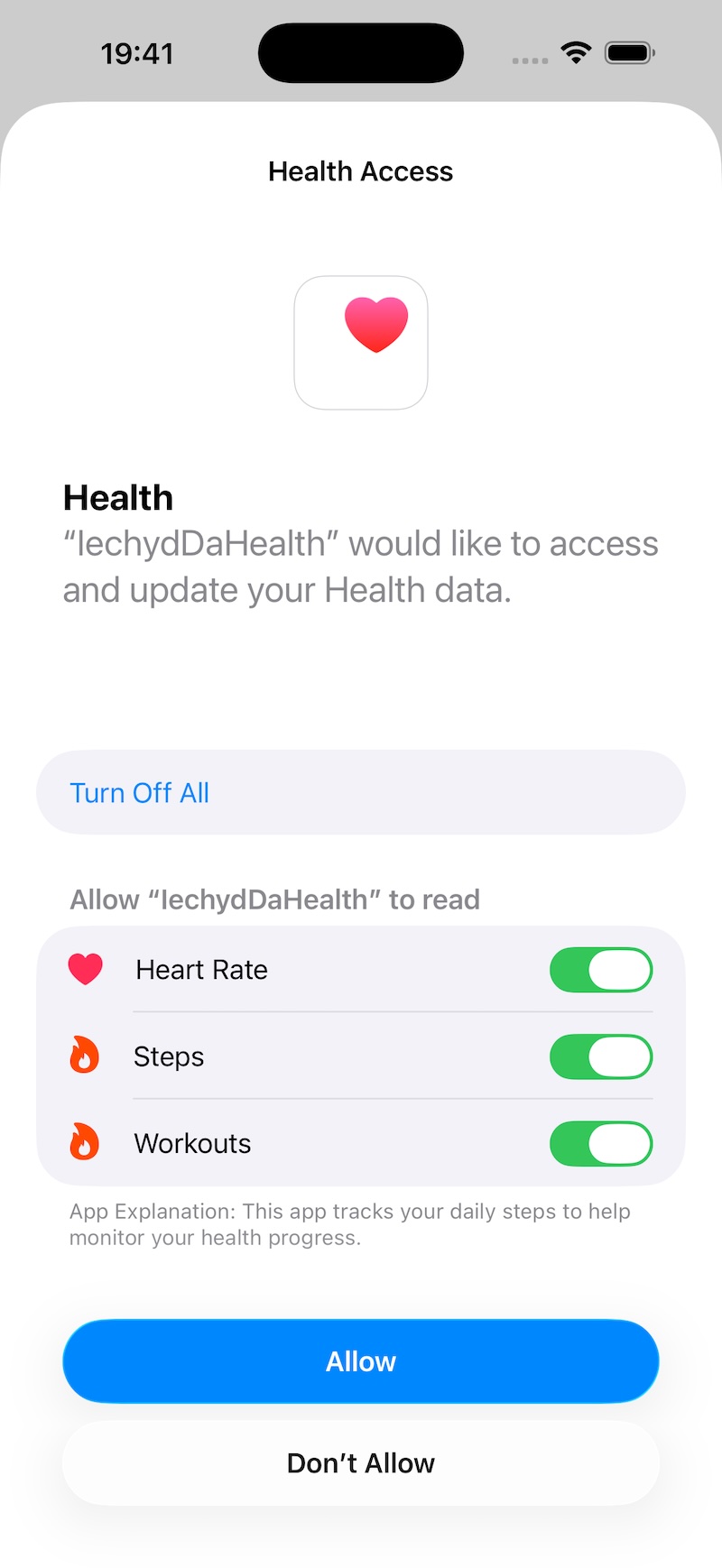
On installing the app, grant Apple Health access to allow Going For Gold to start tracking steps and workouts.
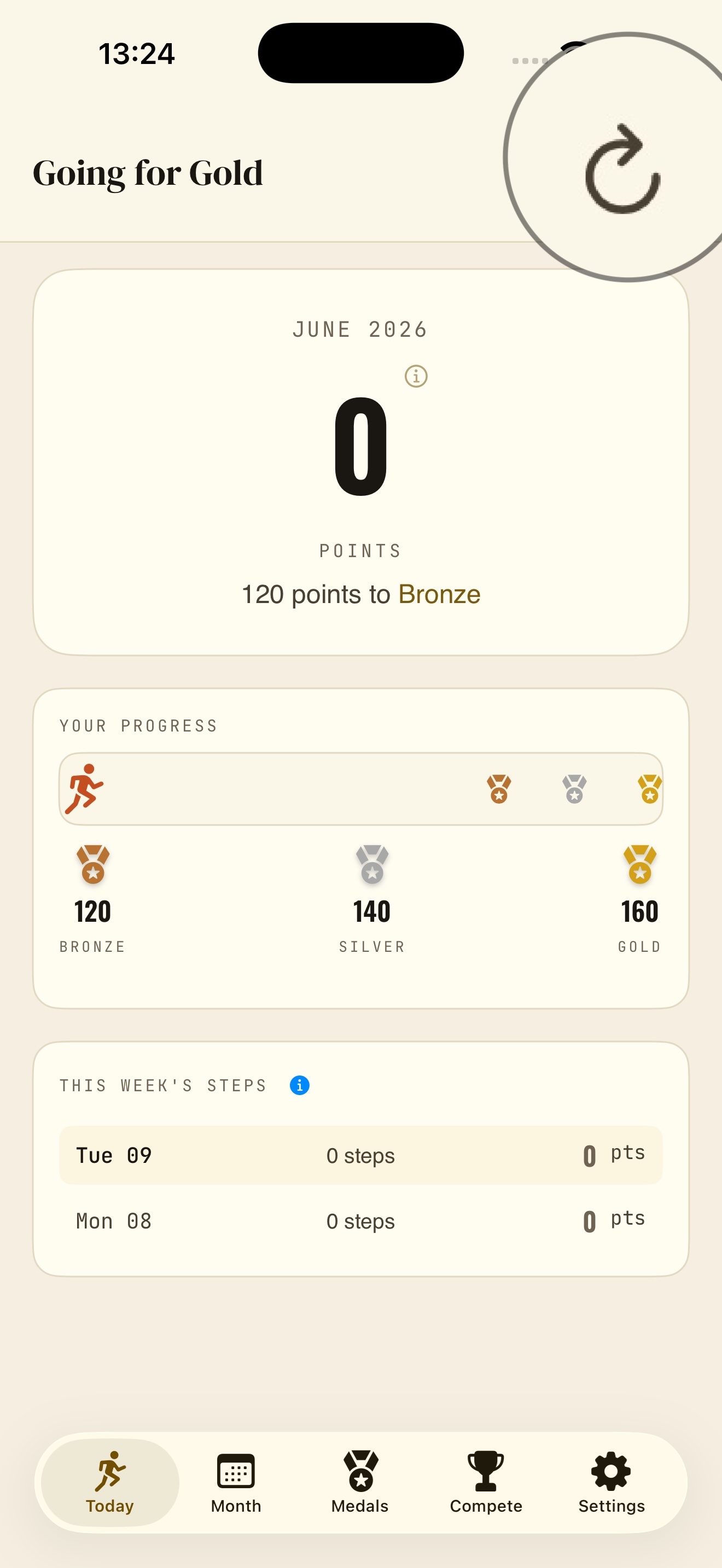
Refresh Data will fetch your health data and start tracking your points.
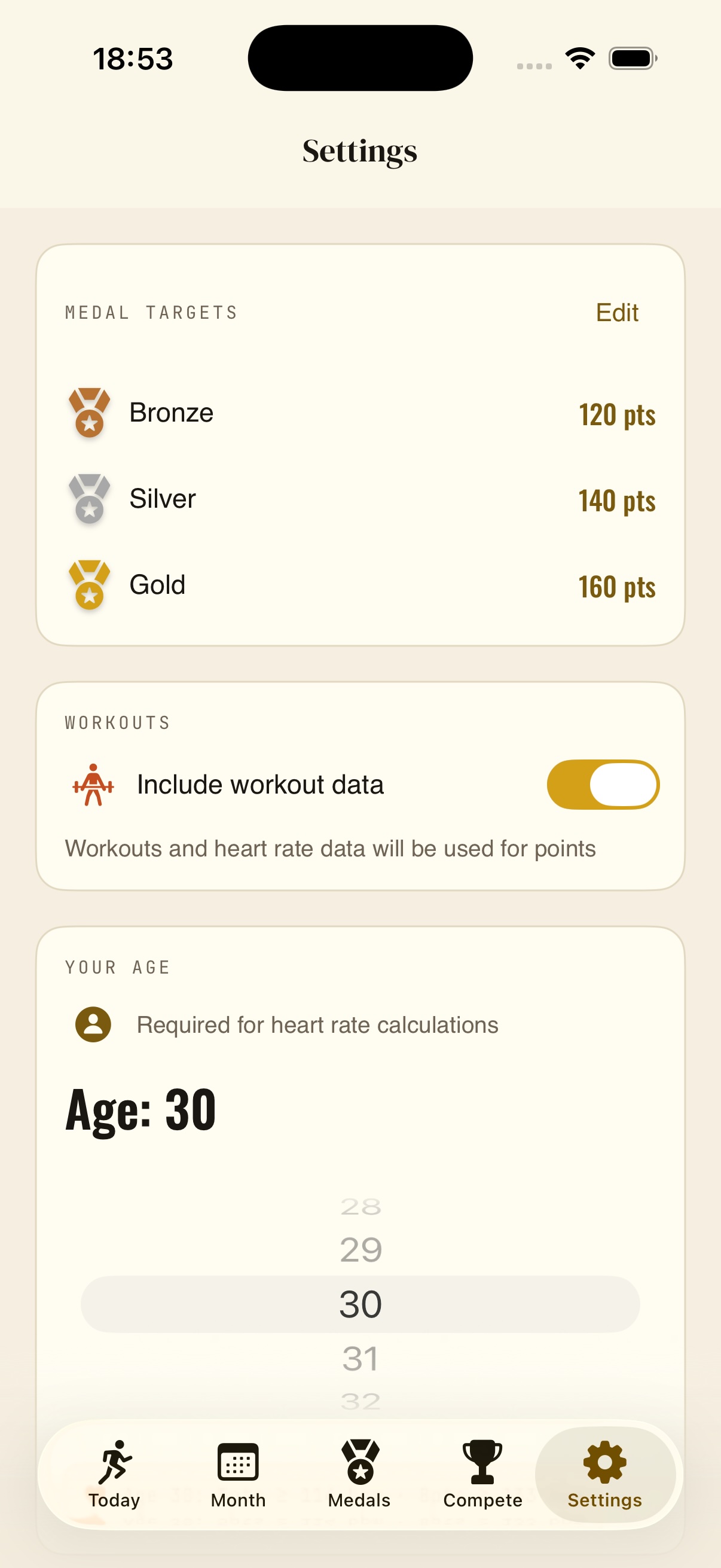
In Settings, set your personal medal targets—give yourself a target to get those hard-earned medals!
Default targets: 120 points (bronze), 140 (silver), 160 (gold) - fully customizable
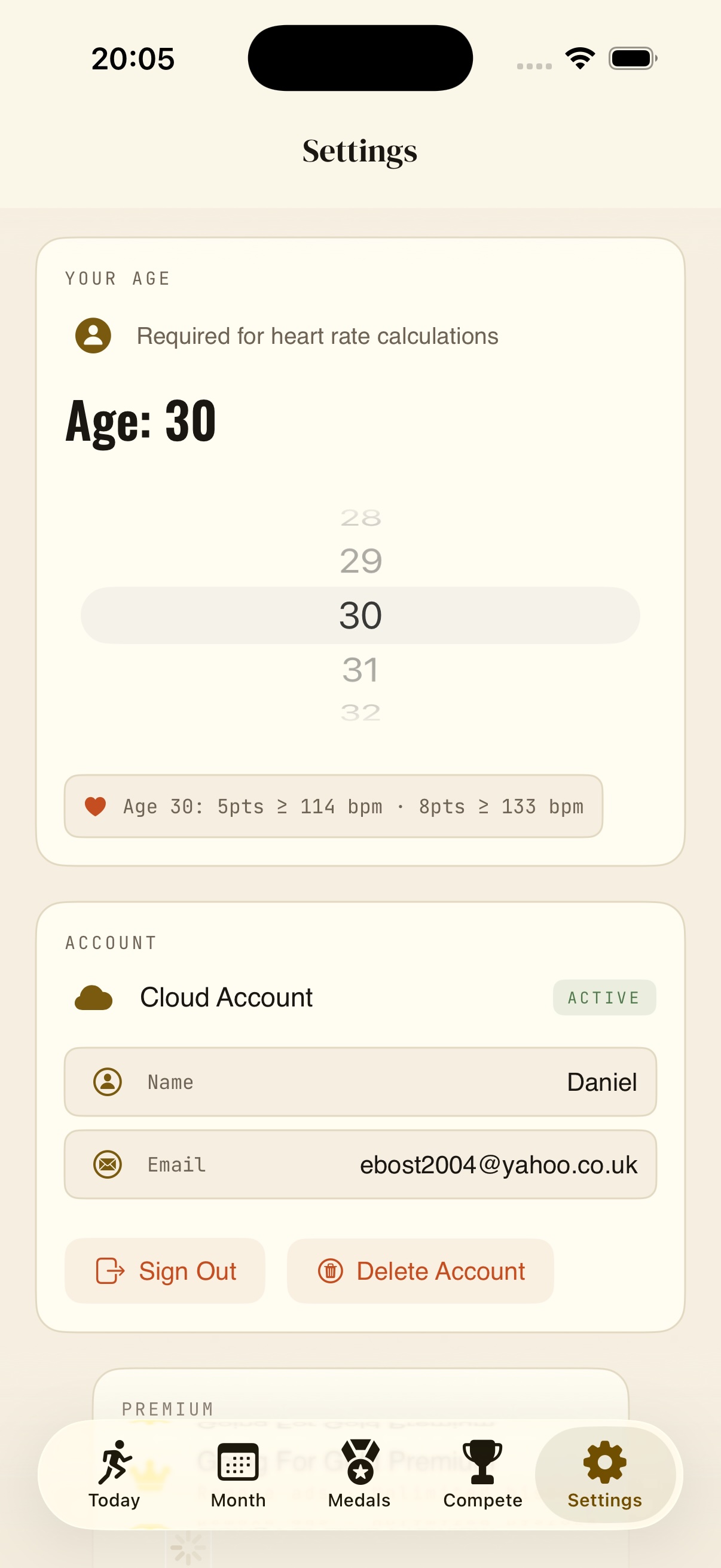
To include workout data, allow HealthKit workout access and set your age to track workouts (in Settings). Read more on workouts here.
How to remove ads
To keep the app free to use, we display occasional ads using Google AdMob. Note the ads are non-personalised and do not use your health data in any way, see our Privacy Policy for details.
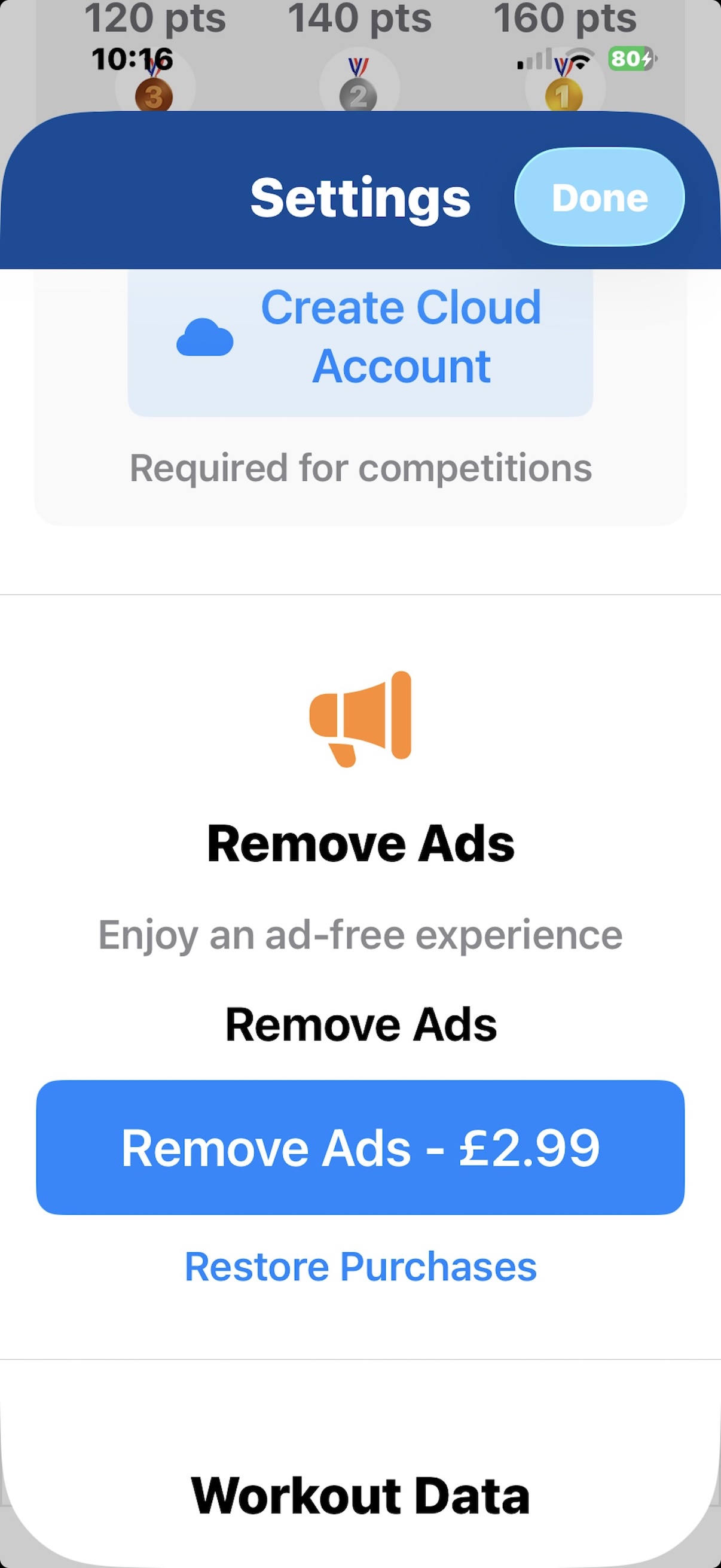
Go ad-free
If you prefer an ad-free experience, you can remove ads permanently by going to Settings and purchasing the "Remove Ads" option for a one-time fee of $2.99/£2.99.
How Points Work
Going For Gold converts your daily steps and workouts into points so you can track your fitness progress in a competitive and fun way. Here's how points are calculated:
Daily Steps
Workouts (30+ minutes)
Points are based on heart rate intensity relative to your age, see Advanced notes below.
Note: If you have both steps and a workout on the same day, only the activity with the highest points counts toward your total.
Workout Points Example
For workouts with at least 30 minutes duration, points are awarded based on average heart rate:
5 points: Average heart rate ≥ (220 - user age) x 0.6
8 points: Average heart rate ≥ (220 - user age) x 0.7
Examples
For age 49
Max HR: 171 bpm (220 - 49)
5 points: 103+ bpm (60% of 171)
8 points: 120+ bpm (70% of 171)
For age 20
Max HR: 200 bpm (220 - 20)
5 points: 120+ bpm
8 points: 140+ bpm
User age can be updated in Settings.
Competitions
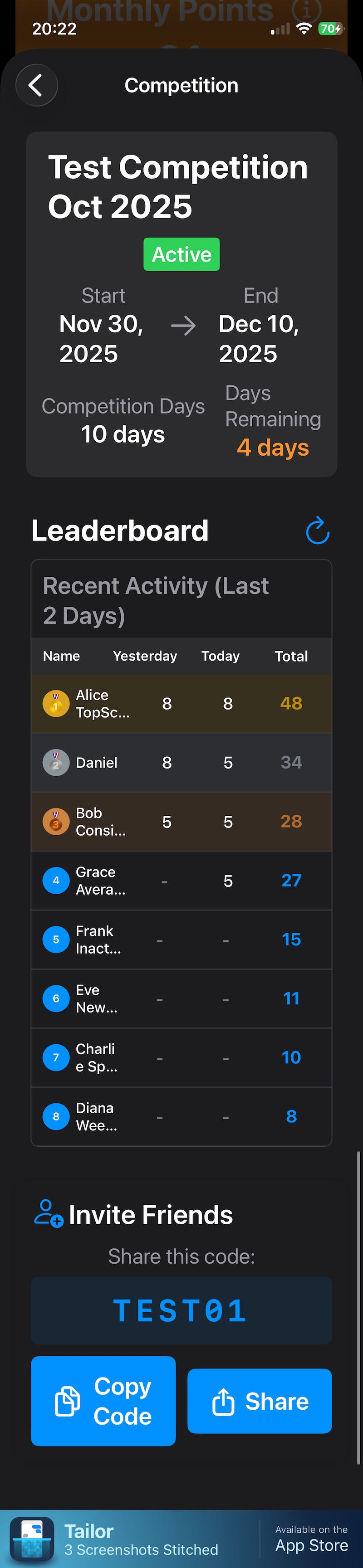
In My Competitions, you can create or join private leagues to compete against friends. The league is based on each participant's daily points, and you can all strive to finish on the medal podium!
Competitions require creating a cloud account (email + password) to sync your points securely. To create an account, follow the prompts in My Competitions and click the Sign Up link (or Sign In if you've already made an account).
Note you can check your cloud status in Settings.
Set up competition
To set up a competition, give it a name, a start and end date and share the joining code with friends.
Only your points are shared in the cloud/with friends, not your health data.
Join a competition
To join a competition, enter the joining code provided by the competition creator. Codes are unique for each competition and are listed at the bottom of the league view.
Delete Cloud Account
If you wish to delete your cloud account, go to Settings and click 'Delete Account'. This will remove your cloud account user name, email and remove your name from any cloud competitions you've joined. You can continue to use the app as a local user.